Wear and wake the strap
Moisten the sensor contacts if its manufacturer recommends it, put the strap on and let it begin broadcasting. Pair it inside Strap Zone rather than in the iPhone Bluetooth settings unless the strap manual says otherwise.
CHEST STRAP + IPHONE
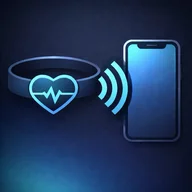
Strap Zone connects a compatible Bluetooth chest strap directly to your iPhone. You get live BPM, clear heart-rate zones and workout history without buying or wearing a smartwatch.
Connect your chest strap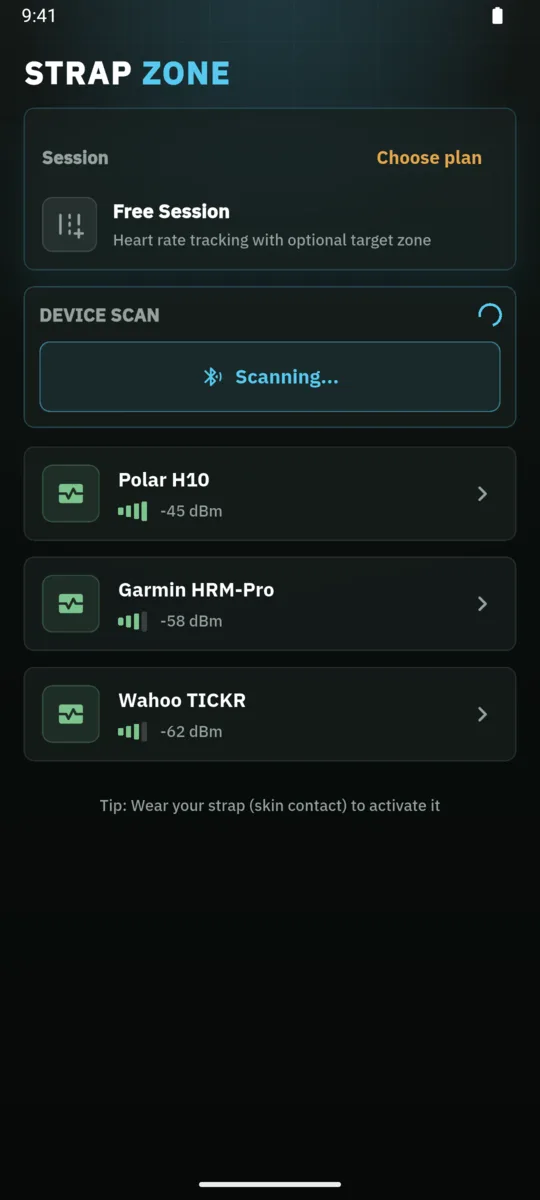
SHORT ANSWER
If your exact chest-strap model broadcasts the standard Bluetooth Low Energy Heart Rate Service, an iPhone app can receive its live BPM directly. Strap Zone turns that signal into zones, alerts and a workout record, but compatibility still needs to be checked model by model.
WHY STRAP ZONE
A chest strap measures your pulse, but it still needs somewhere to show the result. Strap Zone makes the phone you already carry that display. Open the app, choose a compatible Bluetooth Low Energy heart-rate sensor and start a live session. Your current heart rate and zone stay visible in one focused view.
This setup is useful when you want accurate, responsive chest-strap data without moving your training into a watch ecosystem. It works for running, cycling, indoor cardio and gym sessions where heart-rate intensity matters more than social features. Optional audio, tone and vibration alerts reduce how often you need to look at the screen.
HOW IT WORKS
Moisten the sensor contacts if its manufacturer recommends it, put the strap on and let it begin broadcasting. Pair it inside Strap Zone rather than in the iPhone Bluetooth settings unless the strap manual says otherwise.
Strap Zone scans for devices broadcasting the standard BLE Heart Rate Service. Select your sensor, confirm that BPM is changing and set the heart-rate zones you want to use.
Start a free or structured workout. Follow BPM and zone on the phone, use optional alerts while moving, then review time in zone and the recorded session afterward.
01 / watch-free
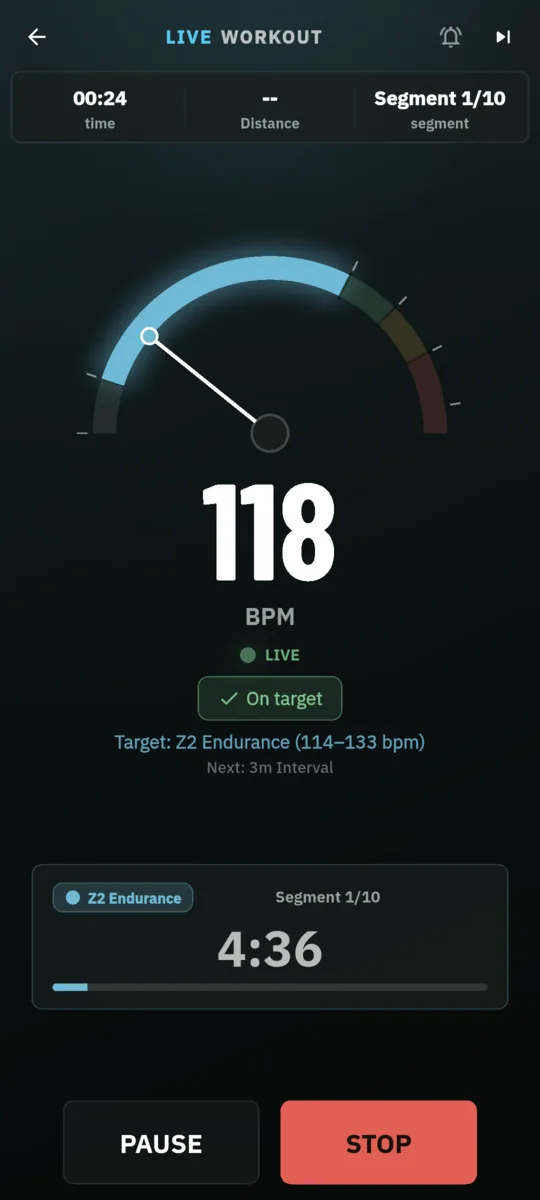
The workout view keeps current BPM and the active zone easy to read. Color changes make intensity clear at a glance.
Live BPM and heart-rate zone workout screen in Strap Zone02 / watch-free
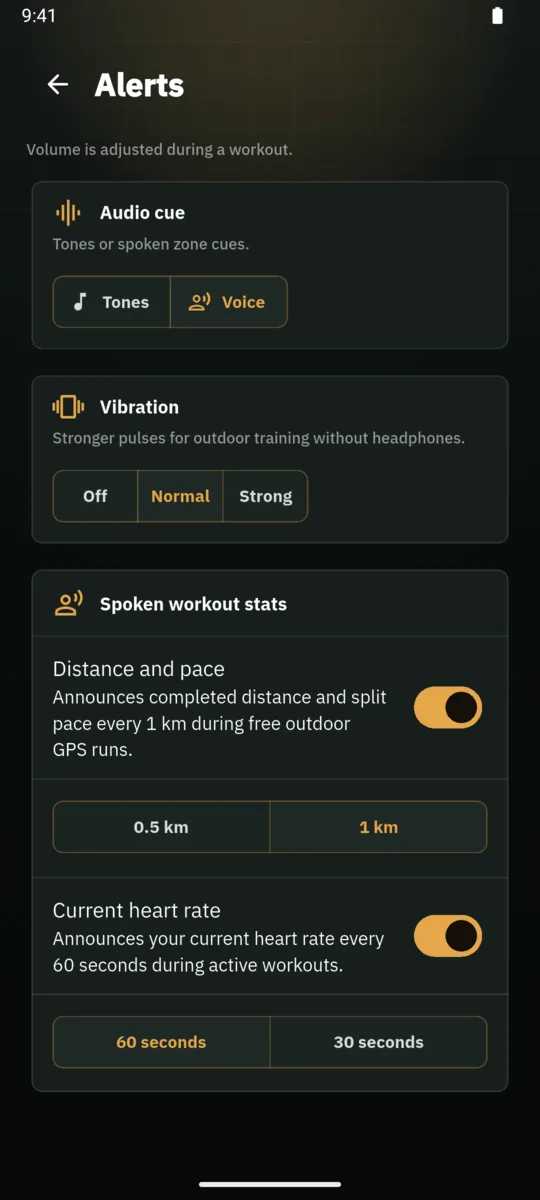
Choose voice, tone or vibration feedback for zone changes and targets. You decide which signals are useful for the session.
Heart-rate audio and vibration alert settings in Strap Zone03 / watch-free
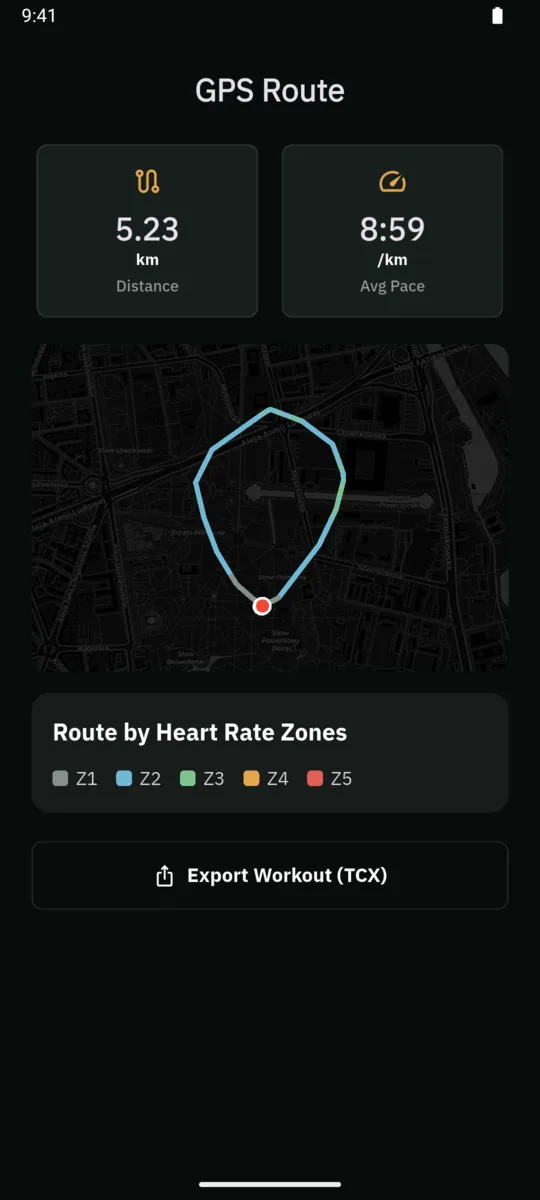
Review the route, pace and time in zone when recorded. Export supported workout data when you want to use it elsewhere.
Workout summary and export screen in Strap ZoneBLE COMPATIBILITY
Strap Zone reads the standard Bluetooth Low Energy Heart Rate Service. Compatibility is model-specific: two products from the same brand can broadcast differently. Check our evidence matrix and your sensor manual before buying hardware solely for the app. A sensor that only talks to a proprietary companion app may not be discoverable.
Check compatibilityPRIVACY
You can start without creating an account. Exact heart-rate and optional route data stay on your device unless you choose an export. Strap Zone is designed as a focused training tool, not a social feed.
Read the privacy detailsMODEL CHECK
These rows come from the reviewed public matrix. They are examples, not the full list, so always verify the exact model you own.
| Device or type | Evidence | What it means here |
|---|---|---|
| Polar H10Chest strap | Protocol compatible | Polar documents Bluetooth heart-rate broadcasting and two simultaneous Bluetooth connections. Strap Zone lists the exact H10 as Protocol compatible, not Lab tested. |
| Garmin HRM-DualChest strap | Protocol compatible | Garmin documents Bluetooth pairing with a compatible smartphone or tablet. This applies to HRM-Dual specifically, not every Garmin strap. |
| Wahoo TICKRChest strap | Protocol compatible | Wahoo documents Bluetooth use with iOS and third-party apps for the exact TICKR model only, not every TICKR-branded device. |
| Multiple Watch with BLE heart-rate broadcast modeBroadcasting wearable | Unknown | A watch can stay Unknown until the exact model exposes the standard BLE Heart Rate Service while broadcast mode is active. |
| Multiple ANT+-only heart-rate sensorLegacy chest strap | Not supported | ANT+ alone is not enough. Strap Zone requires the standard BLE Heart Rate Service over Bluetooth. |
Need the full matrix, sources and limitations? Open the compatibility evidence
FAQ
Yes, when the strap broadcasts a supported Bluetooth heart-rate signal. Strap Zone connects the strap directly to your iPhone, so the phone becomes the live display and workout recorder.
Usually you connect it from the device screen inside Strap Zone. Follow the sensor manufacturer instructions if that model requires a different first-time setup.
No. Compatibility depends on the exact model and the data it broadcasts. Strap Zone targets the standard BLE Heart Rate Service; check the compatibility evidence and the product manual.
No account or smartwatch is required for the core phone-and-strap workflow.
You can enable voice, tone or vibration alerts so you do not need to keep watching the phone. Available feedback depends on your settings and workout type.
READY FOR YOUR STRAP
Download the iPhone version matched to direct chest-strap training. Connect your sensor, confirm live BPM and take the first session at your own pace.
Connect your chest strap