Set zones that fit your plan
Choose or customize the heart-rate boundaries used by your coach or training method. Formula-based estimates are a starting point, not a medical measurement.
ZONE 2, WITHOUT THE GUESSWORK
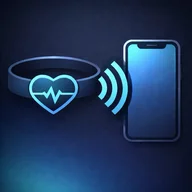
Connect a compatible Bluetooth chest strap, see your live heart-rate zone and let optional audio or vibration alerts tell you when the effort drifts. Strap Zone keeps easy aerobic sessions simple.
Start Zone 2 training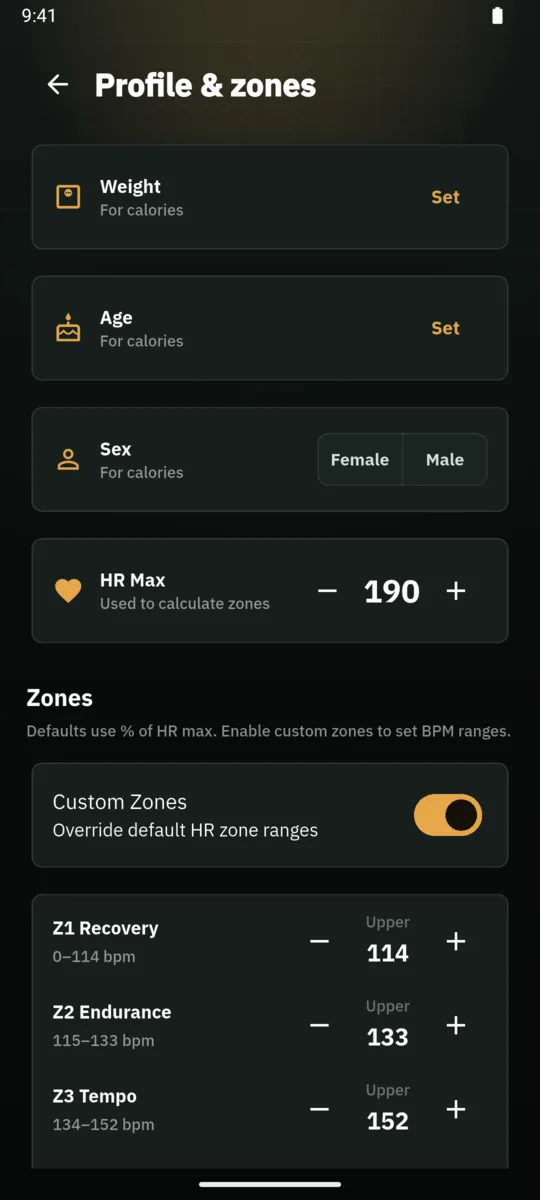
SHORT ANSWER
Connect a compatible BLE chest strap, set the zone boundaries used by your plan and choose optional audio or vibration feedback. Strap Zone compares each live BPM value with those boundaries so you can notice drift without repeatedly checking the screen.
WHY STRAP ZONE
Zone 2 sessions are meant to feel controlled, but heart rate can drift with hills, heat, fatigue and pace. A Bluetooth chest strap gives Strap Zone a continuous heart-rate signal. The app translates that signal into your configured zones and shows where you are now, not where you were several minutes ago.
The screen is there when you want it. When you do not, optional voice, tone and vibration cues can notify you that you moved above or below the target. That makes Strap Zone useful for steady runs, indoor cycling, rowing, walking and other aerobic work where consistency matters more than chasing a single pace.
HOW IT WORKS
Choose or customize the heart-rate boundaries used by your coach or training method. Formula-based estimates are a starting point, not a medical measurement.
Enable voice, tone or vibration alerts and select the target zone. You can keep the phone visible, lock it, or rely more heavily on sound depending on the activity and surroundings.
After training, check time spent in each zone rather than judging the workout only by average heart rate. Save the session and export supported data when needed.
01 / zone-2
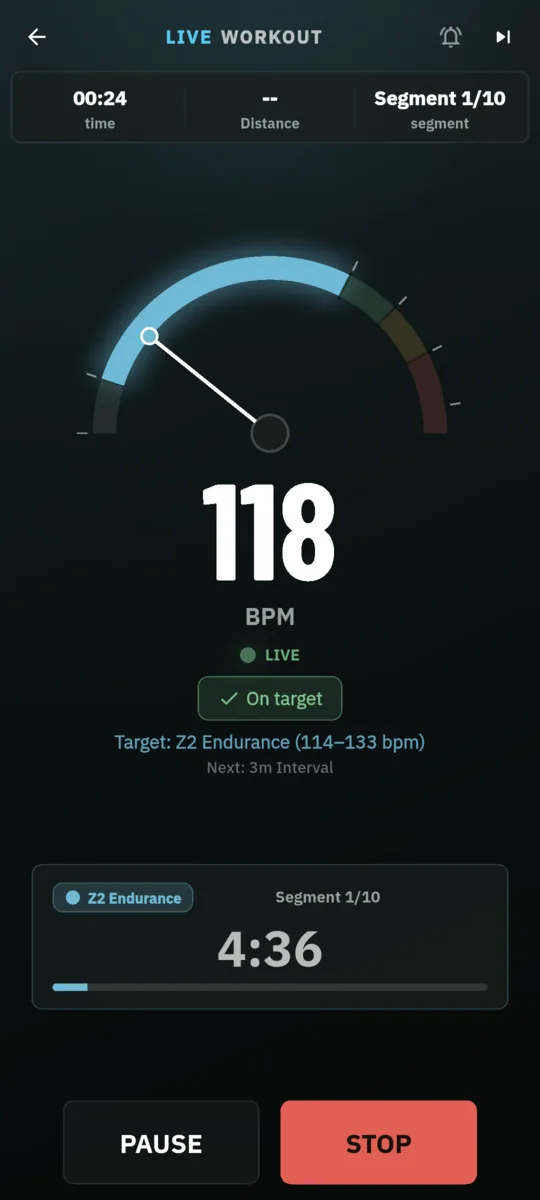
A large live view shows BPM and the active zone while the chest strap streams data to the phone.
Live heart rate and current training zone in Strap Zone02 / zone-2
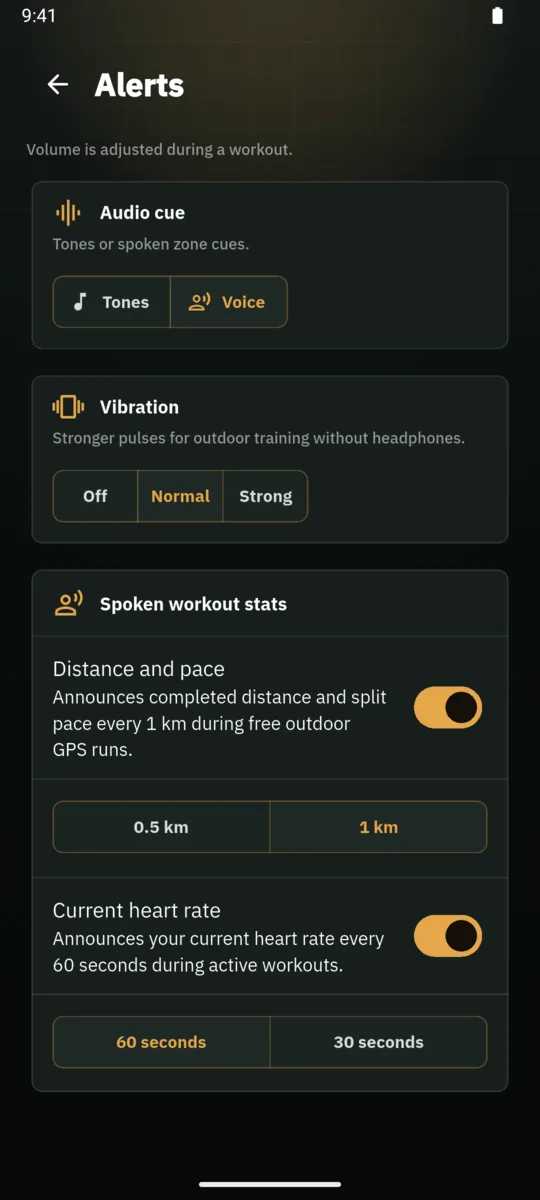
Configure audio, tone or vibration signals for target-zone feedback. Keep attention on the route and your surroundings.
Audio alert configuration for Zone 2 training03 / zone-2
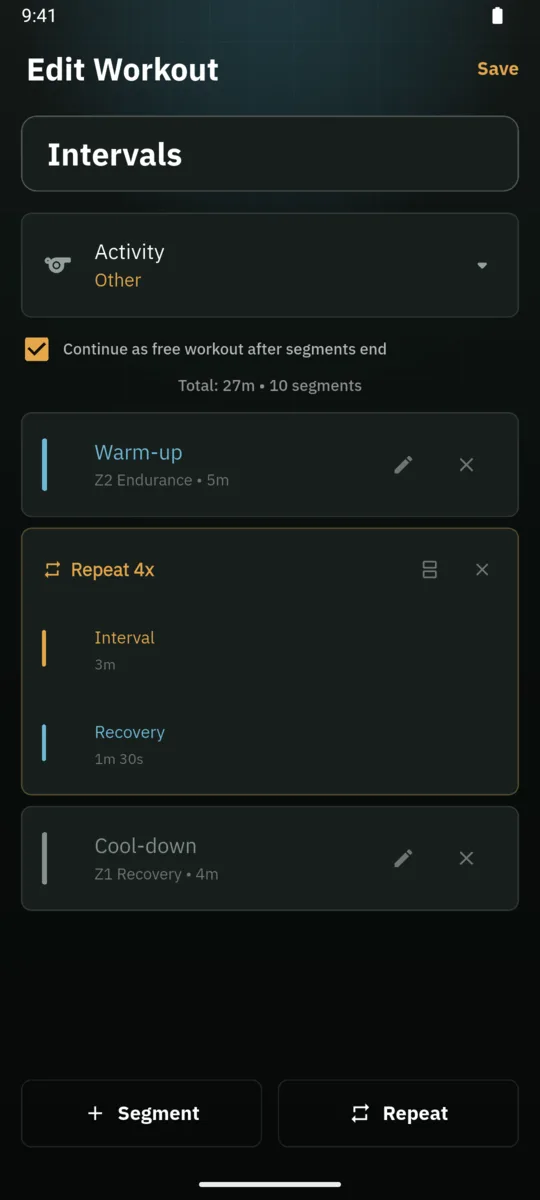
Create timed zone blocks, recoveries and repeats so an easy day or interval workout has a clear structure.
Structured heart-rate-zone workout builder in Strap ZoneBLE COMPATIBILITY
Strap Zone is designed for sensors that broadcast the standard Bluetooth Low Energy Heart Rate Service. Support is model-specific, so verify the exact chest strap or broadcasting device in the compatibility evidence and its manual. The app is a training display and recorder; it is not a medical monitor.
Check compatibilityPRIVACY
No account is required to begin. Heart-rate and optional GPS route data remain on your device unless you choose to export a workout. You control the zones, alerts and records.
Read the privacy detailsMODEL CHECK
These rows come from the reviewed public matrix. They are examples, not the full list, so always verify the exact model you own.
| Device or type | Evidence | What it means here |
|---|---|---|
| Polar H10Chest strap | Protocol compatible | Polar documents Bluetooth heart-rate broadcasting and two simultaneous Bluetooth connections. Strap Zone lists the exact H10 as Protocol compatible, not Lab tested. |
| Garmin HRM-DualChest strap | Protocol compatible | Garmin documents Bluetooth pairing with a compatible smartphone or tablet. This applies to HRM-Dual specifically, not every Garmin strap. |
| Wahoo TICKRChest strap | Protocol compatible | Wahoo documents Bluetooth use with iOS and third-party apps for the exact TICKR model only, not every TICKR-branded device. |
| Multiple Watch with BLE heart-rate broadcast modeBroadcasting wearable | Unknown | A watch can stay Unknown until the exact model exposes the standard BLE Heart Rate Service while broadcast mode is active. |
| Multiple ANT+-only heart-rate sensorLegacy chest strap | Not supported | ANT+ alone is not enough. Strap Zone requires the standard BLE Heart Rate Service over Bluetooth. |
Need the full matrix, sources and limitations? Open the compatibility evidence
FAQ
It receives live heart rate from a compatible Bluetooth chest strap and compares the BPM value with the zone boundaries configured in the app.
You can configure voice, tone or vibration feedback for the target zone. Always keep environmental awareness and use audio safely.
Different coaches and labs use different methods. Formula estimates can be convenient starting points, but they are not medical assessments. Use boundaries appropriate to your plan and seek qualified advice when health considerations apply.
No. A compatible chest strap connects directly to the iPhone, so Strap Zone can display and record the workout without a smartwatch.
Yes. Strap Zone supports timed zone blocks and repeated steps, alongside unstructured live training.
READY FOR YOUR STRAP
Download the iPhone version matched to Zone 2 training, connect your compatible chest strap and choose the feedback that fits the way you move.
Start Zone 2 training